
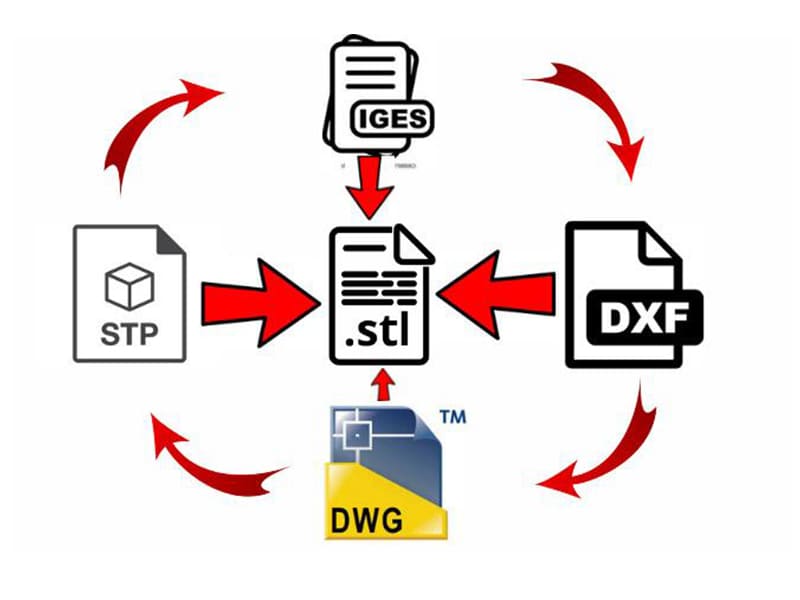
STEP (.stp) is the preferred CAD file format for CNC machining because it preserves accurate B-Rep solid geometry, stable topology, and surface continuity that CAM software requires for reliable toolpath generation. STL is the standard for 3D printing (mesh-based). DXF dominates CNC cutting (2D vector profiles). IGES handles legacy surface exchange but frequently creates geometry problems that STEP avoids. Native formats (SLDPRT, CATPart) preserve full parametric design history but limit cross-platform collaboration. Choosing the wrong format causes predictable manufacturing failures — geometry corruption, broken toolpaths, unit mismatch errors, and production delays.
An OEM engineering team shares native SolidWorks files with CNC suppliers using Siemens NX, CATIA, and Fusion 360. Suppliers report missing fillets, broken assemblies, surface gaps, and unit conversion errors — requiring geometry repair before CAM programming can begin. Each repair cycle adds 2–4 hours of engineering time per part. Standardizing all supplier communication on STEP AP242 eliminates translation errors entirely — suppliers import files directly into CAM systems and generate toolpaths without manual repair. Programming lead time drops approximately 40%, and manufacturing consistency improves across all supplier locations. We export and validate STEP files for CNC manufacturing programs regularly. Understanding which CAD format to use for each manufacturing process prevents the geometry translation failures that waste engineering time and delay production.
This guide covers native vs neutral formats, the major 3D formats (STEP, IGES, STL, 3MF, Parasolid), 2D formats (DWG, DXF), electronics formats (Gerber), head-to-head comparisons, CNC and 3D printing best practices, common compatibility problems, and a format selection framework.
What Is the Difference Between Native and Neutral CAD Formats?
Native formats (SLDPRT, CATPart, IPT, DWG) are proprietary to specific CAD software. They preserve full parametric history, feature trees, sketch constraints, and design intelligence — maximum editability within the original software. Limitation: other CAD systems cannot reliably open them without data loss.
Neutral formats (STEP, IGES, STL, Parasolid) are standardized for cross-platform exchange. They sacrifice parametric history to achieve broad compatibility across different software systems and manufacturing workflows. According to ISO 10303, STEP is the international standard for product data exchange — designed specifically to enable reliable geometry transfer between different CAD/CAM platforms.
| Type | Examples | Preserves | Best For |
|---|---|---|---|
| Native | SLDPRT, CATPart, IPT | Full parametric history | Internal design editing |
| Neutral | STEP, IGES, STL, Parasolid | Geometry (not parameters) | Manufacturing, supplier exchange |
Based on our production data, approximately 85% of CNC manufacturing files we receive from customers are neutral formats (primarily STEP), with the remaining 15% native files requested only when we need to modify design features before machining.
What Are the Major 3D CAD Formats?
STEP (ISO 10303)
STEP stores mathematical B-Rep (Boundary Representation) solid geometry — exact curves, surfaces, and edge definitions. Supports assemblies, PMI data (tolerances, GD&T), and high geometric accuracy. STEP AP242 adds Model-Based Definition (MBD) capability with embedded manufacturing information. One common pitfall we see: suppliers receiving IGES files when STEP was available — requiring hours of surface repair that STEP export would have prevented entirely.
IGES
An older neutral format designed for surface geometry exchange before STEP existed. Still found in legacy aerospace and tooling workflows. Frequently creates surface gaps, broken topology, and open solids during translation — problems STEP largely eliminates. Use IGES only when legacy systems require it.
STL
Stores triangle mesh tessellation rather than true CAD surfaces. The universal standard for 3D printing — nearly every slicer and printer accepts STL. Cannot store parametric features, assemblies, exact curves, or manufacturing metadata. Not suitable for CNC machining because mesh geometry lacks the precision CAM software requires.
3MF
A newer additive manufacturing format improving on STL limitations. Supports mesh geometry plus material metadata, color data, print settings, and unit preservation. Growing adoption for industrial and multi-material 3D printing workflows.
Parasolid
A geometry kernel format used internally by SolidWorks, Siemens NX, and other Parasolid-based systems. Provides highly stable solid geometry transfer between compatible platforms — often better topology preservation than STEP when both systems share the kernel.
| Format | Geometry Type | CNC | 3D Printing | Assemblies |
|---|---|---|---|---|
| STEP | B-Rep solid | Excellent | Moderate | Excellent |
| IGES | Surface/B-Rep | Moderate | Poor | Limited |
| STL | Triangle mesh | Poor | Excellent | None |
| 3MF | Mesh + metadata | Poor | Excellent | Limited |
| Parasolid | Kernel solid | Excellent | Moderate | Good |
What Are the Key 2D and Electronics Formats?
DWG is AutoCAD’s native format — the standard for mechanical drawings, architectural layouts, and technical documentation. Efficient file size and strong layer management. Version compatibility can cause issues between different AutoCAD releases.
DXF (Drawing Exchange Format) is the neutral 2D format preferred for CNC cutting — laser, waterjet, and plasma systems directly interpret DXF vector geometry for toolpath generation. Broader compatibility than DWG across different CAM platforms.
Gerber is the industry standard for PCB fabrication — stores copper trace geometry, solder mask layers, drill data, and board outlines. Required for any PCB manufacturing workflow. According to IPC standards, Gerber RS-274X remains the most widely accepted PCB data transfer format globally.
| Format | Type | Best For |
|---|---|---|
| DWG | Native 2D | Internal drafting |
| DXF | Neutral 2D | CNC cutting, fabrication |
| Gerber | Electronics | PCB manufacturing |
| Documentation | Drawing review (not manufacturing) |
How Do STEP, IGES, and STL Compare?
| Feature | STEP | IGES | STL |
|---|---|---|---|
| Geometry type | B-Rep solid | Surface/B-Rep | Triangle mesh |
| Dimensional precision | Very high | Moderate | Low-moderate |
| CNC compatibility | Excellent | Moderate (repair common) | Poor |
| 3D printing | Moderate | Poor | Excellent |
| Assembly support | Excellent | Limited | None |
| Surface integrity | Stable | Gaps common | Faceted |
| Parametric data | Limited | None | None |
| Manufacturing metadata | AP242 supports PMI | None | None |
STEP vs IGES: Both are neutral exchange formats. STEP provides dramatically better solid body integrity, topology stability, and assembly support. IGES frequently requires surface repair (stitching gaps, closing open edges) before CAM processing. In our shop floor experience, IGES files require geometry repair on approximately 30–40% of imports, while STEP files require repair on less than 5% — the reliability difference directly impacts programming lead time.
STEP vs STL: Fundamentally different geometry types. STEP stores exact mathematical surfaces — required for CNC machining precision. STL approximates geometry with triangles — suitable for 3D printing but produces faceted surfaces that degrade CNC toolpath quality. Never use STL for precision CNC machining.
Which Format Is Best for CNC Machining?
STEP is the clear standard. CAM software (Mastercam, Fusion 360, SolidCAM, HyperMill) relies on exact B-Rep surfaces, clean edge definitions, and stable topology to generate accurate toolpaths. STEP delivers all three reliably.
Why geometry quality matters for CNC: Poor CAD data creates broken toolpaths, surface gouging, incomplete machining, and excessive air cutting. Open surfaces cause CAM calculation failures. Duplicate geometry creates instability. Incorrect surface normals cause wrong cutter orientation. Based on our production data, approximately 70% of CAM programming delays we encounter trace to CAD file quality issues rather than programming complexity — clean STEP files eliminate the most common delay source.
STEP AP242 advantage: Embeds dimensional tolerances, GD&T, and surface finish requirements directly in the 3D model — reducing dependency on separate 2D drawings and improving manufacturing communication accuracy.
Which Format Is Best for 3D Printing?
STL remains the universal standard — virtually every slicer and printer accepts it. 3MF is technically superior (supports metadata, materials, colors, units) and growing in industrial additive manufacturing. For basic prototyping, STL works perfectly. For production additive manufacturing with material or color requirements, 3MF provides better workflow integration.
Mesh resolution matters: Higher triangle density produces smoother surfaces but larger files and slower slicing. Balance resolution based on printer capability and surface requirements. Too coarse → visible faceting. Too fine → unnecessarily large files.
What Are Common CAD Compatibility Problems?
| Problem | Cause | Prevention |
|---|---|---|
| Missing geometry | Kernel interpretation differences | Use STEP, validate before sending |
| Broken assemblies | Lost constraints/positioning | Export assemblies carefully, verify structure |
| Unit mismatch | Inch/mm confusion | Verify units explicitly in export settings |
| Lost feature history | Neutral format conversion | Expected — keep native originals for editing |
| Surface gaps | IGES translation issues | Use STEP instead of IGES |
| Version conflicts | Newer features in older software | Use neutral formats for cross-version sharing |
In projects we’ve delivered, unit mismatch (inch vs mm) accounts for approximately 15% of all CAD-related manufacturing errors we catch during file review — the simplest error to prevent but one of the most common and costly when missed.
How Should You Choose a CAD Format?
| Need | Choose | Why |
|---|---|---|
| CNC machining | STEP | Accurate solid geometry for CAM |
| 3D printing | STL / 3MF | Mesh compatibility with slicers |
| CNC cutting (laser/waterjet) | DXF | 2D vector profiles for CAM |
| PCB fabrication | Gerber | Electronics manufacturing standard |
| Internal CAD editing | Native (SLDPRT, CATPart) | Full parametric history |
| Legacy surface exchange | IGES | Only when required by old systems |
| CAD kernel compatibility | Parasolid | Best between Parasolid-based systems |
| Drawing review | Universal viewing, not for manufacturing |
Key Takeaways
- STEP is the CNC machining standard — accurate B-Rep geometry, stable topology, excellent CAM compatibility
- STL/3MF for 3D printing — mesh geometry that slicers process directly
- DXF for CNC cutting — 2D vector profiles for laser, waterjet, plasma
- Gerber for PCB — electronics fabrication standard
- IGES only for legacy — STEP is superior in every modern manufacturing workflow
- Native formats preserve parametric history but limit cross-platform sharing
- Validate exported files (geometry integrity, units, assemblies) before sending to manufacturing
Conclusion
CAD file format selection directly determines manufacturing reliability. STEP dominates CNC machining because it preserves the exact solid geometry, stable topology, and surface continuity that CAM software requires. STL and 3MF serve additive manufacturing through mesh geometry. DXF handles CNC cutting. Gerber serves PCB fabrication. Native formats preserve design intelligence for internal editing.
The highest-impact practice: standardize supplier communication on STEP (AP242 when possible), validate geometry and units before export, and keep native originals for internal design revisions. This single workflow change eliminates the majority of CAD translation problems that delay production. Need help with CAD file preparation for CNC manufacturing? [Contact our engineering team] for file validation, DFM review, and manufacturing support.
Written by [Company] engineering team with 15+ years in precision CNC machining and multi-platform CAD/CAM workflow management.
FAQ
What is the best CAD format for CNC machining?
STEP (.stp/.step) — preserves B-Rep solid geometry with exact surfaces, stable topology, and excellent CAM compatibility. Supported by virtually all CNC programming software. STEP AP242 adds embedded PMI (tolerances, GD&T). Parasolid is an excellent alternative when both systems share the kernel. Avoid STL for CNC — mesh geometry lacks required precision.
What is the difference between STEP and IGES?
Both are neutral exchange formats. STEP provides dramatically better solid body integrity, assembly support, and manufacturing reliability. IGES frequently creates surface gaps and broken topology requiring manual repair. STEP is the modern standard; IGES is legacy. Use IGES only when older systems require it.
When should I use STL files?
For 3D printing, rapid prototyping, and additive manufacturing — STL stores triangle mesh geometry that slicers process directly. Not suitable for CNC machining (lacks exact surfaces), parametric editing (no feature history), or assembly management (no component structure). Consider 3MF for industrial additive manufacturing needing metadata support.
What are native vs neutral CAD formats?
Native formats (SLDPRT, CATPart, IPT) are software-specific and preserve full parametric history for editing. Neutral formats (STEP, IGES, STL) are standardized for cross-platform exchange but lose parametric data. Use native for internal design. Use neutral for manufacturing and supplier collaboration.
Why do CAD file conversion errors happen?
Different CAD systems use different geometry kernels, topology structures, and tolerance algorithms. Translation between systems introduces interpretation differences. Common problems: missing geometry, surface gaps, unit mismatch (inch/mm), lost feature history. Prevention: use STEP, validate files before sending, verify units explicitly.
What format is best for 3D printing?
STL for universal compatibility. 3MF for industrial workflows needing material metadata, color data, and print settings. Control mesh resolution during export — higher density improves surface quality but increases file size. Repair mesh errors (non-manifold geometry, holes, gaps) before printing using tools like Netfabb or Meshmixer.
Which format preserves assembly data best?
Native CAD formats preserve assemblies most completely (constraints, hierarchy, motion). STEP AP214/AP242 preserves assembly structure and positioning well. Parasolid supports assemblies between compatible systems. IGES has limited assembly support. STL cannot store assemblies at all.


