
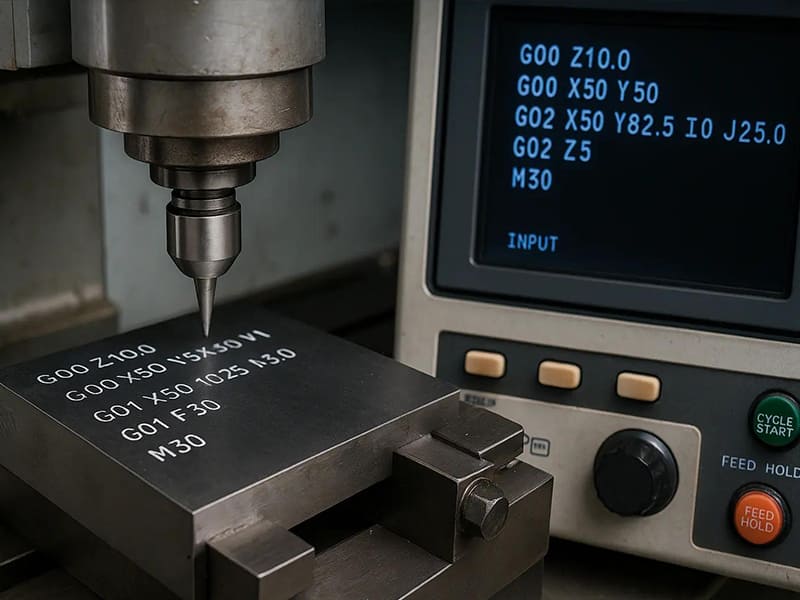
CNC (Computer Numerical Control) programming is a critical aspect of modern machining, enabling precise control over machine tools to create complex parts with high accuracy. Understanding CNC programming methods and the fundamentals of G-code is essential for optimizing the machining process and achieving the desired results in production.
This article will introduce the core concepts of CNC programming, focusing on programming methods, G-code basics, and techniques for process optimization. Whether you’re a beginner or looking to refine your skills, understanding these principles will help you improve machining efficiency, reduce errors, and enhance part quality in various manufacturing applications.
What Is CNC Programming in a Machining Context?
In a machining context, CNC programming is not simply the act of writing G-code. It is the engineering process that translates part geometry and functional requirements into a controlled interaction between the machine, cutting tools, fixtures, and material. The program defines not only where the tool moves, but nasıl ve under what conditions material is removed.
From an engineering standpoint, CNC programming sits at the center of the CNC machining process. The program must account for machine kinematics, tool geometry, spindle capability, fixturing rigidity, and material behavior. A correct program synchronizes these elements so cutting forces remain predictable, chips evacuate effectively, and tolerances are held consistently throughout production.
This is why “knowing G-code does not equal knowing how to machine a part.” A syntactically correct program can still produce chatter, tool breakage, or dimensional drift if feeds, speeds, entry strategies, or toolpaths are poorly chosen. Effective CNC programming requires process knowledge—understanding how tool engagement, heat generation, and machine dynamics interact during real cutting, not just how commands are written.
In practice, CNC programming functions as a process design discipline. It bridges design intent and physical manufacturing by embedding engineering decisions directly into machine control logic. For designers, engineers, and procurement teams, program quality is therefore a primary driver of part accuracy, repeatability, and production cost—not a secondary technical detail.
What Are the Main CNC Programming Methods Used in Machining?
In practical machining, CNC programming methods differ not by “skill level,” but by process complexity, accuracy requirements, and production volume. Modern shops often use more than one method, selecting the approach that best fits the engineering and economic constraints of each job.
Manual CNC Programming
Manual CNC programming involves writing G-code directly at the control or offline. It is still useful for simple features—such as basic hole patterns, facing operations, or quick program edits during setup.
-
Where it works well: simple geometries, parameter tweaks, troubleshooting
-
Sınırlamalar: high risk of human error, poor scalability, limited ability to manage complex 3D toolpaths
-
Engineering risk: small syntax or logic mistakes can cause crashes, scrap, or inconsistent results
Manual programming is best viewed as a support tool, not a primary method for production machining.
CAM-Based CNC Programming
CAM programming converts CAD models into toolpaths, then post-processes them into machine-specific G-code. This CAD → CAM → G-code workflow is the dominant method in industrial manufacturing.
-
Güçlü yönler: high accuracy, repeatability, complex geometry handling, simulation and collision checking
-
Industrial value: supports multi-axis machining, adaptive toolpaths, and process optimization
-
Değerlendirme: CAM quality still depends on programmer decisions—software does not replace machining knowledge
For most CNC milling and turning operations, CAM-based programming offers the best balance of precision, efficiency, and scalability.
Conversational CNC Programming
Conversational programming uses structured prompts on the machine control (common on CNC lathes and some machining centers). Operators input dimensions, tools, and parameters without writing full G-code.
-
Best suited for: prototypes, one-off parts, small batch production
-
Avantajlar: fast setup, reduced programming overhead
-
Constraints: limited flexibility for complex geometries or advanced optimization
Programming Method Comparison (Engineering View)
| Programming Method | Doğruluk | Verimlilik | Typical Batch Size |
| Manual CNC Programming | Orta | Düşük | Very small / adjustments |
| CAM-Based Programming | Yüksek | Yüksek | Medium to high volume |
| Konuşmalı Programlama | Orta | Orta | Prototypes / small batch |
Mühendislik perspektifinden, no single method is universally “best.” Effective CNC programming strategy aligns the method with part complexity, tolerance requirements, and production scale—ensuring machining accuracy and manufacturing efficiency without unnecessary risk or cost.
How Does CNC Programming Work from CAD to Machining Execution?
In industrial machining, CNC programming follows a structured CAD-to-machine workflow designed to translate design intent into controlled, repeatable cutting actions. Understanding each step helps engineers diagnose errors, optimize cycle time, and avoid costly rework.
Step 1: CAD Modeling (Design Intent Definition)
The process begins with a CAD model that defines geometry, dimensions, tolerances, and datums. From a machining perspective, CAD quality matters: ambiguous features, missing fillets, or unrealistic tolerances propagate downstream into inefficient toolpaths or unstable cutting. Designers who model with manufacturing in mind—clear features, logical datum structure—enable more reliable CNC programming.
Step 2: CAM Toolpath Generation
The CAD model is imported into CAM software, where programmers select tools, cutting strategies, and parameters to generate toolpaths. This step determines how material is removed: entry methods, step-over, depth of cut, and tool engagement. CAM does not “decide” these automatically; it encodes engineering choices that directly affect machining accuracy, surface finish, and tool life. Simulation and collision checking are used here to validate feasibility before cutting begins.
Step 3: Post Processor Conversion
CAM toolpaths are machine-agnostic until they pass through a post processor. The post processor converts generic toolpath data into machine-specific G-code, accounting for controller syntax, axis configuration, tool change logic, and safety conventions. A mismatched or poorly configured post processor can introduce errors even when CAM toolpaths are correct—making this step a common but underappreciated risk point.
Step 4: Program Loading and Setup
The generated G-code is loaded onto the CNC machine. Operators verify work offsets, tool lengths, fixtures, and coordinate systems. Dry runs or single-block execution are often used to confirm motion before cutting material.
Step 5: Machining Execution
During execution, the CNC controller interprets G-code in real time, coordinating axes, spindle speed, and feed rate. Program quality determines whether cutting forces remain stable and whether results are consistent across parts.
From an engineering viewpoint, this workflow is not linear but iterative. Feedback from machining often leads to CAD or CAM adjustments—highlighting that CNC programming is a closed-loop manufacturing process, not a one-time translation step.
What Are G-Code and M-Code and Why Do They Matter in Machining?
CNC işlemede, G-code and M-code are not programming trivia—they are the direct control layer between engineering intent and machine behavior. Understanding what they govern, and how they interact with process parameters, is essential for accuracy, efficiency, and operational safety.
G-Code: Motion and Geometry Control
G-codes define how the tool moves. They control linear and circular interpolation, positioning modes, coordinate systems, and canned cycles. From an engineering perspective, G-code determines toolpath fidelity—whether a feature is cut with stable engagement, correct approach angles, and consistent depth. Even small choices (e.g., absolute vs incremental positioning) can affect tolerance stack-up and surface finish across a batch.
M-Code: Machine State and Auxiliary Functions
M-codes manage what the machine does beyond motion. This includes spindle start/stop, coolant control, tool changes, and program flow. While they do not define geometry, M-codes are critical to process reliability. Incorrect sequencing—such as engaging feed before spindle speed stabilizes—can lead to tool wear, chatter, or scrap.
The Practical Meaning of S / F / T / D
Beyond G and M commands, several parameters directly shape cutting conditions:
-
S (Spindle Speed): Sets rotational speed; improper values cause heat buildup or poor chip formation.
-
F (Feed Rate): Controls material removal rate; mismatches lead to deflection or premature wear.
-
T (Tool Selection): Calls the physical tool; accuracy depends on correct tool library management.
-
D (Tool Offset/Compensation): Applies diameter or wear offsets; errors here translate immediately into dimensional deviation.
These values embed process assumptions into the program. Changing them without understanding the cutting context can destabilize the entire operation.
Controller Differences: A Real Manufacturing Risk
G-code standards exist, but controller implementations vary. The same command can behave differently across machines due to syntax, default modes, or supported cycles. This creates risk when transferring programs between shops or machines—one reason post processors and verification are critical.
In practice, G-code and M-code matter because they encode engineering decisions. Mastery is not about memorization, but about understanding how commands translate into real cutting behavior on a specific machine.
How Toolpaths and Programming Strategy Affect Machining Results
CNC işlemede, toolpath strategy is a primary driver of cutting forces, thermal load, and dimensional stability. Two programs that remove the same volume of material can produce very different results depending on toolpath type, sequence, and engagement control.
Toolpath Type → Machining Impact
-
Contour (Profile) Toolpaths Used for external and internal edges, contour paths prioritize geometric accuracy. However, aggressive radial engagement can cause deflection on thin walls. Programming lighter finishing passes after roughing is critical to recover accuracy.
-
Drilling Toolpaths Beyond hole location, strategy choices—spotting, pecking, and dwell—govern chip evacuation and heat. Poor sequencing (e.g., drilling before roughing nearby pockets) can introduce positional drift as material relaxes.
-
Pocket/Cavity Toolpaths Traditional zig-zag pocketing creates frequent entry/exit shocks and variable load. Modern strategies favor smoother engagement to stabilize forces and reduce tool wear.
Toolpath Sequence → Deformation and Accuracy
Order matters. Removing material in the wrong sequence can release residual stresses, leading to part movement and tolerance loss—especially in thin-walled aluminum or pre-hardened steels. A common best practice is:
-
Rough internal features
-
Semi-finish to balance stresses
-
Finish critical surfaces last This sequence minimizes distortion and improves repeatability without changing the machine or tooling.
Dynamic (Adaptive) vs Traditional Cutting
-
Traditional Cutting uses constant step-over and depth, which causes fluctuating tool load at corners and re-entries.
-
Dynamic/Adaptive Cutting maintains near-constant tool engagement by varying path curvature and step-over. Engineering benefit: lower peak cutting forces, reduced heat, longer tool life, and often shorter cycle times—particularly in roughing operations.
Programming Strategy vs Real Cutting Load
A key misconception is that feed rate alone controls load. In reality, engagement angle, step-over, and path curvature dominate cutting forces. A program that looks conservative on paper can overload tools if engagement spikes occur. Conversely, optimized paths allow higher feeds with daha düşük effective load.
Strategy → Outcome (Summary)
| Programming Strategy | Cutting Force Stability | Accuracy Impact | Tipik Kullanım |
| Conventional pocketing | Düşük | Değişken | Simple roughing |
| Adaptive clearing | Yüksek | Kararlı | CNC optimization |
| Finish-last sequencing | Yüksek | Yüksek | Sıkı toleranslar |
For engineers and buyers, the takeaway is clear: programming strategy defines the process window. Optimized toolpaths improve accuracy, protect tools, and reduce cost—without changing material or equipment.
How to Optimize CNC Programs for Accuracy, Tool Life, and Cycle Time
Optimizing CNC programs is not about maximizing a single metric. In production machining, accuracy, tool life, and cycle time are interdependent variables, and improving one often impacts the others. Effective optimization therefore focuses on process stability, not peak performance.
Cutting Parameter Optimization: Speed and Feed in Context
Adjusting spindle speed and feed rate is the most visible form of optimization, but it must be done with an understanding of actual tool engagement. Increasing feed rate can reduce cycle time, yet if engagement spikes occur (corners, slotting), cutting forces rise sharply, accelerating wear or causing deflection. Experienced programmers optimize parameters per toolpath segment, not globally—using lower engagement zones to gain speed while protecting tools in high-load regions.
Program-Level Efficiency Improvements
Many cycle-time reductions come from program structure, not cutting harder. Examples include eliminating unnecessary retracts, optimizing tool change order, and reducing air-cutting through smarter linking moves. These changes shorten non-cutting time without increasing mechanical or thermal load, making them low-risk, high-return optimizations.
Balancing Tool Life and Stability
Maximum tool life rarely coincides with minimum cycle time. Running conservatively extends tool life but inflates part cost; pushing parameters shortens cycles but risks unpredictable failure. Industrial optimization targets a stable wear pattern, where tools fail gradually and predictably. This stability allows scheduled tool changes and consistent quality—often more valuable than marginal cycle-time gains.
Program Modification vs. Process Modification
A critical engineering judgment is deciding what to change. Some problems are best solved at the program level—adjusting toolpaths, entry strategies, or sequencing. Others indicate a process issue, such as improper tool selection, insufficient rigidity, or fixturing limitations. Attempting to “fix” a process problem purely through programming usually leads to diminishing returns or hidden risk.
Practical Optimization Mindset
High-performing CNC programs are rarely created in a single pass. They result from iterative refinement, using machining feedback—tool wear, surface finish, dimensional drift—to narrow the safe operating window. The goal is not the fastest cut, but the most repeatable cut at scale.
For engineers and procurement teams, optimized CNC programming directly translates into predictable quality, controlled tooling cost, and reliable delivery—outcomes that matter far more than theoretical machining limits.
What Are the Challenges of CNC Programming for Multi-Axis Machining?
Multi-axis machining expands manufacturing capability, but it also raises the complexity and risk profile of CNC programming. Compared with 3-axis work, 4- and 5-axis programming introduces additional motion coordination, tighter safety margins, and greater dependence on accurate digital validation.
Increased Program Complexity (4/5-Axis Kinematics)
In multi-axis CNC programming, tool orientation becomes as critical as tool position. The program must continuously manage rotary axis motion, tool tilt, and effective cutting angle, all while maintaining stable engagement. Small errors in axis coordination can amplify into surface deviation, gouging, or loss of dimensional accuracy—especially on contoured or freeform surfaces.
Collision Risk and the Limits of Intuition
With simultaneous multi-axis motion, visual intuition is no longer reliable. Collisions can occur between the tool, holder, spindle, fixture, or machine components—even when toolpaths appear safe in isolation. This makes simulation and collision detection mandatory, not optional. However, simulations are only as accurate as the machine model, tooling data, and post processor configuration behind them.
Post Processor and Machine Matching Challenges
Multi-axis programs are highly sensitive to post processor accuracy. Differences in rotary axis configuration, pivot points, and control logic mean that a post tuned for one 5-axis machine may produce unsafe motion on another. In practice, many multi-axis issues arise not from CAM strategy, but from subtle mismatches between the post processor and the physical machine.
Risk Mitigation Strategies (Engineering View)
-
Use machine-specific posts validated with real cutting tests
-
Maintain accurate digital twins for tools, holders, and fixtures
-
Limit simultaneous motion where not functionally required
-
Validate with staged dry runs and reduced feed overrides
For engineers and buyers, the takeaway is clear: multi-axis CNC capability is unlocked through programming discipline, not machine hardware alone. Effective multi-axis CNC programming manages risk through simulation, validation, and tight integration between CAM, post processing, and the actual machine—turning complexity into a controlled manufacturing advantage rather than a source of variability.
How CNC Programming Impacts Part Quality in Different Industries
CNC programming quality directly shapes part performance, but the definition of “quality” varies by industry. Tolerance targets, surface integrity, and repeatability expectations differ significantly, driving distinct programming strategies even on similar machines.
Aerospace: Accuracy Under Variable Load
İçinde aerospace machining, parts often feature thin walls, complex geometries, and hard-to-machine alloys. Programming emphasizes force control and deformation management: conservative roughing, stress-balanced sequencing, and finish-last strategies are common. Toolpaths prioritize constant engagement to minimize deflection, while verification focuses on avoiding overcuts that could compromise structural integrity. Here, programming choices are tightly coupled to dimensional stability and surface integrity rather than raw cycle time.
Automotive: Repeatability and Throughput
Automotive CNC programs are optimized for high repeatability at scale. Tight tolerances are important, but the dominant drivers are cycle time consistency, predictable tool wear, and automation compatibility. Programming strategies favor standardized toolpaths, fixed parameters, and minimal variation between parts to ensure stable Statistical Process Control (SPC). Small inefficiencies per cycle can compound into significant cost at volume, making program-level efficiency critical.
Medical: Surface Quality and Process Control
İçinde medical CNC machining, surface finish and process traceability often outweigh speed. Programming must minimize burrs, micro-tearing, and heat-affected zones, especially for implants and surgical components. Lower engagement strategies, controlled entry/exit moves, and additional finishing passes are common. Repeatability is essential, but process validation and consistency are paramount due to regulatory requirements.
Industry-Driven Programming Trade-Offs
These examples illustrate a key principle: industry requirements reshape programming priorities. Aerospace favors stability over speed, automotive favors efficiency with control, and medical favors surface integrity and validation. Effective CNC programming adapts strategy—toolpaths, sequencing, and parameters—to the industry context, ensuring part quality is achieved not by machine capability alone, but by intentional, industry-aware program design.
How Engineers and Buyers Should Evaluate CNC Programming Capability
For engineers and buyers, CNC programming capability is a core indicator of a machining supplier’s true technical strength—yet it is often misunderstood. Owning CAM software or modern machines does not guarantee effective programming. Capability is reflected in how well programming decisions translate into stable, repeatable machining outcomes.
What Strong CNC Programming Capability Looks Like
A capable supplier demonstrates programming strength through process results, not software labels. Key indicators include consistent dimensional accuracy across batches, controlled tool wear patterns, and minimal reliance on manual rework or operator intervention. Well-structured programs show clear sequencing logic, appropriate toolpath strategies, and evidence of parameter optimization rather than default settings.
Why CAM Software Alone Is Not Enough
CAM systems generate toolpaths, but they do not make engineering decisions. Poorly trained programmers can still produce inefficient or risky programs using advanced software. True capability lies in understanding cutting mechanics, machine behavior, and fixturing constraints—and embedding that knowledge into the program. Simulation use, post-processor tuning, and documented programming standards are stronger signals than software brand names.
Supplier Evaluation Checklist (Engineering View)
When evaluating an external machining partner, engineers and procurement teams should look for:
-
☐ Use of simulation and collision detection before cutting
-
☐ Machine- and tool-specific post processors
-
☐ Evidence of optimized toolpaths (not default CAM output)
-
☐ Stable, repeatable results across similar parts
-
☐ Ability to explain neden a programming strategy was chosen
-
☐ Willingness to adjust programs based on machining feedback
Decision-Oriented Takeaway
Strong CNC programming capability reduces risk throughout the supply chain—fewer defects, predictable lead times, and controlled manufacturing cost. For B2B buyers, evaluating programming competence is not a technical formality; it is a quality and reliability decision that directly affects long-term production performance.
Özet
In modern machining, CNC programming is a core manufacturing capability, not a secondary technical task. It defines how design intent is translated into controlled cutting behavior, directly influencing dimensional accuracy, surface integrity, tool life, and production consistency. Machines and tooling set the potential—but programming determines whether that potential is realized or wasted.
Effective CNC programming is built on three inseparable elements: programming methods, code-level control, and machining strategy. CAM workflows, G- and M-code logic, and toolpath sequencing must work together to manage cutting forces, heat generation, and part deformation. Weakness in any one area often appears downstream as quality variation, premature tool wear, or inflated cycle time.
For engineers and buyers, the practical implication is clear: strong CNC programming converts technical capability into measurable cost and quality advantages. Optimized programs reduce rework, stabilize processes, and support predictable delivery at scale. In competitive manufacturing environments, programming quality is not just an operational detail—it is a decisive factor in production performance and supplier reliability.
Sıkça Sorulan Sorular
Is CAM programming always better than manual programming?
Not always—but it is usually more appropriate for industrial machining. CAM programming excels at managing complex geometry, multi-axis motion, and repeatable production, especially when simulation and collision checking are required. Manual programming still has value for simple features, quick edits, or troubleshooting. The key distinction is not superiority, but fit-for-purpose: CAM is a production tool; manual code is a tactical tool.
How much does CNC programming affect part accuracy?
Significantly. Programming decisions control tool engagement, cutting forces, heat input, and sequencing—all of which directly influence dimensional accuracy and surface finish. Even with a high-precision machine, suboptimal toolpaths or parameter choices can cause deflection, chatter, or thermal drift. In practice, program quality often determines whether machine accuracy is achieved or compromised.
Why do CNC programs fail during machining?
Most failures stem from process mismatch rather than syntax errors. Common causes include incorrect feeds and speeds for actual tool engagement, poor chip evacuation in deep features, unverified post processors, or assumptions about rigidity that do not match the setup. Programs may also fail when transferred between machines with different controllers or kinematics without proper validation.
How is CNC programming different for 5-axis machines?
5-axis programming introduces tool orientation control, rotary-axis kinematics, and much tighter collision margins. Toolpath intent must be coordinated with machine geometry via accurate post processors and verified through simulation. Unlike 3-axis work, intuition is insufficient; digital verification and staged prove-outs are essential to manage risk.
What should buyers look for in a CNC programming team?
Buyers should evaluate outcomes and discipline, not just software. Indicators of a strong team include consistent results across batches, documented programming standards, use of simulation and collision detection, machine-specific post processors, and the ability to explain programming choices in terms of cutting mechanics and process stability. Teams that can adapt programs based on machining feedback typically deliver lower risk and more predictable cost.


